We’re Atlassian’s Partner of the Year 2026 Co-Selling Excellence and Cloud Transformation Services
Read more
Skip to main content
Everything you need to know about Atlassian Teamwork Graph
Share on socials

Everything you need to know about Atlassian Teamwork Graph

Markus Kobold headshot
Markus Kobold
Published on 29 July 2026
Last updated on 28 July 2026
11 min read
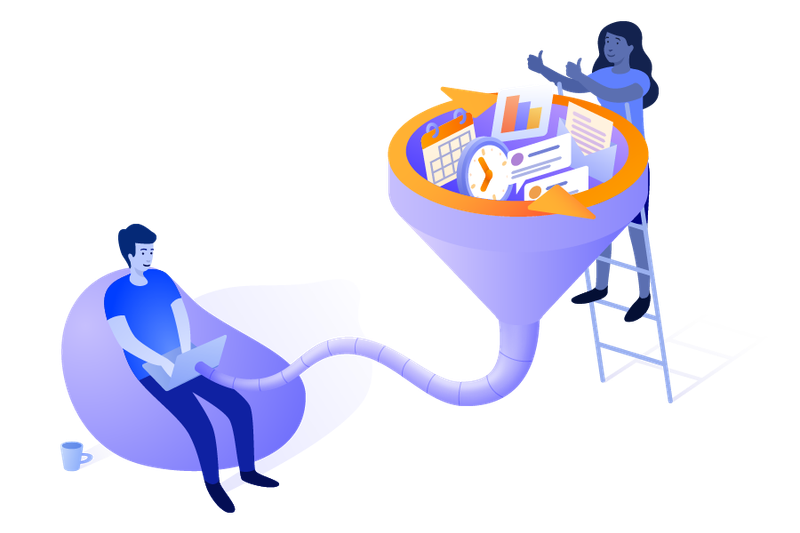
illustration of a person up a ladder funnelling information to another person sitting with their laptop
Markus Kobold headshot
Markus Kobold
Published on 29 July 2026
Last updated on 28 July 2026
11 min read
Jump to section
What is the Atlassian Teamwork Graph?
What data can I connect?
How can I use all this data?
How does Teamwork Graph give my AI agents more context?
Ways of working with Teamwork Graph

The Atlassian Teamwork Graph is a shared intelligence layer within the Atlassian Cloud Platform that connects information into a single, unified data model.

With more work to get done even more quickly, your people rely on myriad tools (11 on average) to communicate with colleagues, manage work, and complete tasks. But without a simple way to bring all those tools together, your teams can't get visibility on what work is happening, why, when, where, how and by whom.

Atlassian Teamwork Graph is designed to solve the 'more apps, more problems' conundrum by making the most of your data without you having to lift a finger. It brings together all your team, work, and app data in one single platform.

In this blog, we cover:
  • What Atlassian Teamwork Graph is
  • What data it can connect
  • How it helps your human teams
  • How it helps your AI agents
  • How it powers your Atlassian Collections

What is the Atlassian Teamwork Graph?

The Atlassian Teamwork Graph is a shared intelligence layer within the Atlassian Cloud Platform. It connects information across your Atlassian products and third-party applications into a single, unified data model. And it gets smarter over time – growing with your organisation as it learns from more data.

Rather than storing data as isolated records in separate tools, Teamwork Graph maps the relationships between people, projects, documents, conversations, goals, and work items. This creates a comprehensive connected view of how work happens across your organisation. And you get a personalised experience based on who you are, what you do, and how you do it.

For example, it can link a Jira issue to a Confluence page, a Slack conversation, and the people responsible for the work.

This helps your organisation:
  • Break down information silos – you can connect all your data from Atlassian and 100 popular apps, including work, pages, files, service requests, and projects, all in one place for more contextualised insights.
  • Improve collaboration – with greater alignment and cross-app experience, you can stay in the driving seat and accelerate work.
  • Provide richer context for your people and AI-powered experiences – with optimised data, you can benefit from personalised app experiences and more relevant AI responses and insights.

What data can I connect?

It's not just data from Atlassian tools that Teamwork Graph can bring together. Using built-in connectors and custom integrations, you can connect information from your other favourite tools too. There are more than 100 built-in connectors available out-of-the-box, including:
  • Jira work items and projects
  • Confluence pages and documentation
  • Jira Service Management requests
  • Loom videos
  • Slack messages
  • Google Drive files
  • GitHub pull requests and repositories
  • User and team information
  • Goals, tasks, comments, and activity history
Teamwork Graph standardises these different data types into common "objects" so that information from multiple systems can be searched, linked, and understood consistently.

How can I use all this data?

With everything connected, Teamwork Graph can do a lot to benefit your organisation. All the connected data creates more intelligent and contextual work experiences, and here are a few of the common uses:
Improve visibility across your projects and departments
Teamwork Graph lets you see how initiatives in one department might affect work in other departments in real time. The platform maps relationships between work items, giving teams greater transparency into progress, blockers, and dependencies, helping them make decisions.
Provide contextual search results and recommendations
Because Teamwork Graph understands the relationships between your Jira tickets, Confluence pages, Slack discussions, and people, its search results have greater context. It won't just find the right document for you. It will show you any related projects, relevant stakeholders, linked incidents, or recent conversations associated with it.
Automatically link related work
Even if you're not searching for it, Teamwork Graph already understands the relationships between the different kinds of work items and documents as an intuitive network of information (such as Jira issues, Confluence documentation, and customer feedback). This means less manual effort spent cross-referencing systems and more understanding of the big picture around what you're working on.
Identify ownership, dependencies, and collaboration patterns
With everything mapped, it's easier to see who owns specific tasks, services, or initiatives – as well as the dependencies between teams and projects that could cause problems down the road. The more data you feed it, the more the platform can reveal collaboration patterns, like frequent collaborators or communication breakdowns. These insights let you remedy issues before they even arise.
Provide a single source of truth for your teams
When information is widely distributed across many tools, the truth can be hard to surface. Teamwork Graph gives you a unified knowledge layer for everyone to work from. You don't have to give up tools or systems, but you still have a connected view. It means a greater confidence for your people that they're always accessing the most relevant, up-to-date information.
Enhance your reporting and analytics
It's easier to analyse work in the broader business context when all the data is joined up. You can combine operational, strategic, service, and collaboration data into richer analytics models rather than generating individual reports. These models can help you identify patterns and business impacts, informing your leadership's decision-making.
Less time spent context-switching
When you're trying to find all the information you need, keep track of updates, or understand context, you can waste a lot of time switching between tools. With everything in one place, you don't have to waste time switching manually, which increases productivity and lets people focus on executing tasks rather than hunting for the right information.

How does Teamwork Graph give my AI agents more context?

Your AI systems are only as useful as the information they have access to and how they can understand it. Teamwork Graph structures your organisational knowledge, enabling your AI agents to reason across projects, documentation, goals, teams, and workflows, rather than responding using isolated data points.
With greater context, your AI agents are able to reason more effectively across these different data points because Teamwork Graph adds the context of how these data points are related, rather than being isolated data points. They go beyond being simple chatbots to generate more accurate summaries, answer questions with more relevant detail, identify risk and blockers, and provide recommendations based on cross-tool reasoning and real business context. For example, AI agents powered by Teamwork Graph can understand:
  • Which Jira issues belong to a specific strategic initiative
  • Which Confluence pages document a feature
  • Which team members are responsible for delivery
  • Which Slack conversations discuss blockers
  • Which customer incidents relate to a deployment
And because permissions, identities, and governance rules are built into the platform, your AI agents have to operate within the same security boundaries as the underlying systems, ensuring security and improving overall trustworthiness in your tools.

Ways of working with Teamwork Graph

With Teamwork Graph as your underlying connected data layer, there are two ways to work with it, depending on your role and use cases: MCP Server and CLI.
Teamwork Graph in MCP Server
Atlassian has integrated Teamwork Graph into its Model Context Protocol (MCP) Server. This is a secure cloud-based bridge between your Atlassian Cloud site and compatible external tools. It’s designed for teams who want to work with Atlassian data without having to keep switching tools.

MCP Server gives your AI agents structured, permission-aware access to organisational knowledge across connected systems. Using the MCP Server, tools such as Claude Cowork or ChatGPT can query the Teamwork Graph to retrieve contextual information about projects, work items, documents, goals, conversations, and people. Your agents aren't interacting with disconnected APIs – they're receiving raw data and the relationship between objects.
This can help with:
  • Contextual incident response with a unified historical view of related Jira issues, deployments, and past remediation steps.
  • Real-time identification of project owners, even as work changes.
  • Authoritative retrieval of your single source of truth rather than a few relevant pages.
  • Summarising and searching across Jira, Compass, and Confluence without switching tools.
  • Automating repetitive work, like generating tickets from your meeting notes.
Teamwork Graph CLI
Teamwork Graph CLI is the command-line interface tool developers can use to interact with, test, and build against the graph. It lets your people build integrations and applications on top of the graph, enabling them to query objects and relationships, inspect connected data structures, build and test integrations, prototype AI-powered workflows, and manage and validate graph data more efficiently.

Teamwork Graph: the foundational layer behind Atlassian Collections

Atlassian Collections, including Teamwork, Strategy, Service, Software, and Product, are curated groups of Atlassian apps and agents. While the Collections bring together specialised Atlassian products and workflows to meet the needs of different business functions, Teamwork Graph is the unified context that connects them. It's what makes Atlassian Collections AI-native, rather than simply AI-enabled.

Because these tools sit on top of Teamwork Graph, users have cross-product insights, a shared contextual understanding, and unified search and discovery capabilities. It means, for example, that the Teamwork Collection can connect collaboration, communication, and project execution. Whether you're using Atlassian Rovo or connecting your own agents, your AI tools are underpinned by a relationship-aware organisational model.
illustration of two people shaking hands over two joined puzzle pieces

Get up to speed on Teamwork Graph

Teamwork Graph underpins your Atlassian tools, including all apps and Collections. Get in touch to chat about maximising the value from your technology ecosystem.
Written by
Markus Kobold headshot
Markus Kobold
Senior Strategic Advisor